Define a dashboard with a BACnet Discovery widget
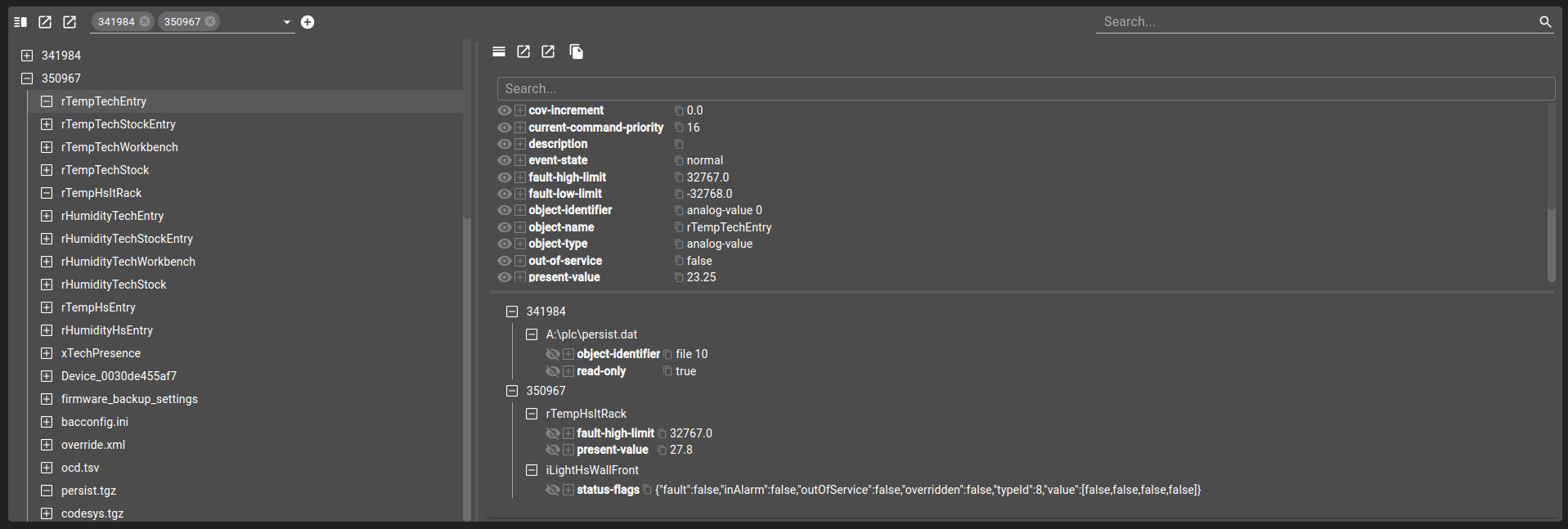
This tutorial shows how to define a dashboard with a Discovery widget for BACnet devices. This tutorial only focuses on setting up the widget and therefore doesn’t explain how to configure a BACnet device.
Add a
Discoverywidget withtypeset toBACNETin the dashboard view.Configure
propertyForDisplayto control how device names appear in the list.Use the device selector toolbar to pick existing BACnet devices or discover new ones via the add icon.
git checkout origin/osp-web-configuration .
git checkout origin/osp-bacnet-configuration .
git checkout origin/example-bacnet-discover-widget .
Prerequisites
Add this example in your configuration
You can directly use the following command to add this example into your configuration :
Steps
Define a dashboard with a Discovery widget
Simply add a widget Discovery with type set as BACNET. You can configure the propertyForDisplay property to chose how to display a device name in the list.
root/discover/dashboard.view
{
    "configuration": [
      {
        "type": "Discovery",
        "id": "o8ir7p8T",
        "menuReferences": [],
        "discoveryWidgetSettings": {
          "type": "BACNET",
          "propertyForDisplay": "object-name",
          "minimumSize": 30,
          "defaultSize": 30,
          "orientation": "HORIZONTAL",
          "disableAddButton": false,
          "disableChangeOrientation": false,
          "disableChangeSize": false,
          "disableGlobalOpenInNewWindow": false
        }
      }
    ],
    "layout": {
      "lg": [
        {
          "w": 12,
          "h": 4,
          "x": 0,
          "y": 0,
          "i": "o8ir7p8T"
        }
      ]
    },
    "breakpoints": {
      "lg": 1200,
      "md": 996,
      "sm": 768,
      "xs": 480,
      "xxs": 0
    },
    "cols": {
      "lg": 12,
      "md": 10,
      "sm": 6,
      "xs": 4,
      "xxs": 2
    },
    "rowHeight": 150
  }
How to use the widget
If you have already configured some BACnet device in your configuration, you can pick them in the device selector in the toolbar. Otherwise, just use the add icon to fetch for a device.