PDF Viewer
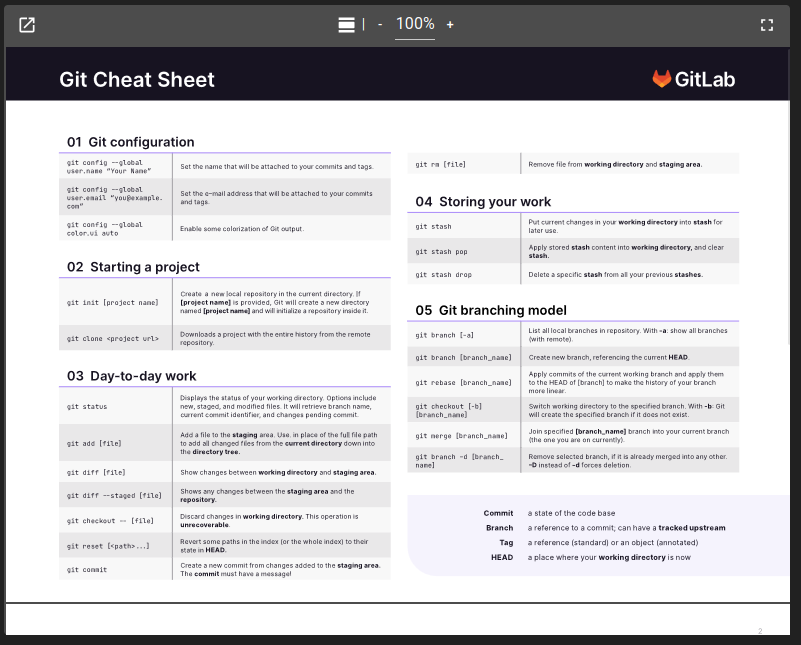
The PDFViewer widget allows visualizing a pre-existing PDF. The source of the PDF can be fed by multiple means:
A Base64 text represent the content of the PDF
An external URL, might need the usage of a proxy
A PDF present in the configuration and defined as a web module resource. Reference the PDF by using the destination path specified in the resources.
Capabilities
Capability |
Support |
Comment |
|---|---|---|
Load a PDF from a Base64 text |
|
The widget can load a PDF from a Base64 representation of the PDF content. |
Load a PDF from an URL |
|
Warning, loading from an URL might cause you trouble with CORS issues. Take a look at the OnSphere Proxy to help you access external URLs. |
Load a PDF from a PDF file present in the configuration |
|
You can load a PDF file from the configuration if it was declared as a resources of the web module. |
Change the PDF displayed from an alarm table |
|
Using a menu on an alarm table can set the PDF displayed by the widget. See menus and toolbar |
Change the PDF displayed from a collection table |
|
Using a menu on a collection table can set the PDF displayed by the widget. See menus and toolbar |
Handle and display multiples PDF |
|
The widget can only display one PDF at a time. |
Set PDF from an URL parameter |
|
URL parameter are not handled by this widget. |


List of configuration files
Filename |
Short description |
Format |
Link to documentation |
|---|---|---|---|
dashboard.view#PdfViewerWidget |
Defines the PdfViewerWidget widget global settings |
json |
List of examples
Short description |
Link to documentation |
|---|---|
Load a PDF from the configuration into a widget |
|
Load a PDF from a menu on an table widget |
Controls
A control panel allows you to interact with the viewer in different ways:
Orientation: you can change the way you display the PDF pages (all in one or one by one)
Page number: navigate to the previous/next page or input a specific page
Zoom: zoom in and out
Fullscreen: view the pdf in fullscreen mode
Open in another window
Using the button at the left of the control panel, you can open the content of the widget into a separated window. While the content is display in the other window, the widget will display an informative text and a button allowing to revert this action.
Widget context
Operations
PDFViewer support following operation:
pdf(pdf: string): change the source of the currently loaded pdf