Object browser
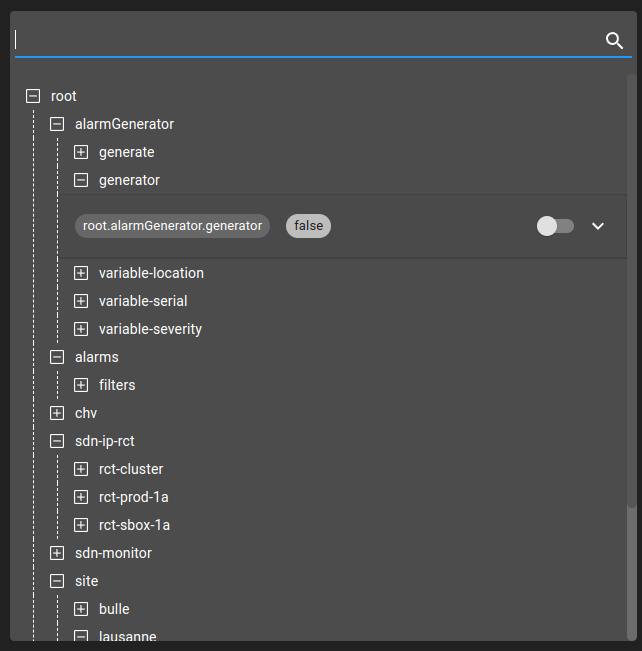
The Object browser widget allows navigating through the OnSphere configuration and display all defined values. Upon expanding a configuration element, you will be subscribed on the value and receive live value updates.
You can look for a specific value by entering its OnSphere path in the search field.
Search function
As mentioned, only search terms corresponding to a valid OnSphere path are valid. Therefore :
root.devices.devices-01 is valid
devices-01 is invalid
devices.devices-01 is invalid
root.devices.* is invalid
My value name is invalid
Null values
When a value.ospp holds a null value, the system returns undefined. This behavior is consistent across all supported data types:
TEXT
DECIMAL
INTEGER
BOOLEAN
In other words, a null value is not type-specific and is always mapped to undefined.
Boolean display behavior
For BOOLEAN values, the user interface displays false next to the toggle in two cases:
when the actual value is false
when the value is undefined (originating from a null value)
This visual representation does not distinguish between false and undefined. The effective state is determined solely by the underlying value, which is the authoritative source.