Select
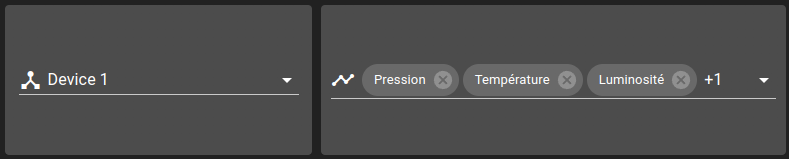
A Select Widget allows selecting one or many element from a list of options. After each modification, the widget emits its current selected option as an event.
There are different types of Select widgets:
Custom: options are defined as settings in the configuration
AnalyticsMeasure : options are defined by the configuration measures list and by the
includeOptionsandexcludeOptionssettings.AnalyticsField : options are defined by the configuration fields list and by the
includeOptionsandexcludeOptionssettings.ReportsTemplate: options are defined by the configuration reports templates list and by the
includeOptionsandexcludeOptionssettings.Form: options are defined by the configuration forms list and by the
includeValuesandexcludeValuessettings.AnalyticsAggregate: contains the list of aggregation functions available for charts widgets. List contains:
count: number of points
integral: computes the area under the curve per unit of time of subsequent non-null records
last: last element
mean: average value of all points
median: median value of all points
min: minimum value
max: maximum value
Each select type allows selecting multiple values, except for Form and AnalyticsAggregate which can only have one selected value.
List of configuration files
Filename |
Short description |
Format |
Link to documentation |
|---|---|---|---|
dashboard.view#SelectWidget |
Defines the SelectWidget widget global settings |
json |